Macroform Music · macOS 14+ · Apple Silicon & Intel
1.3.3 · Bigger, clearer console
From idea to eight-track loop in sixty seconds.
A tape-style live looper for Mac. Guitar through Neural Amp Modeler, printed to tape. Hit REC TO DISK and the mix is a 24-bit WAV of everything you heard. When you're done, the session is already a folder of files. No project format. No export step.
One take · eight passes
You don't build an arrangement.
You play one.
Every pass lands on the grid you tapped, sample-accurate against your audio hardware. Drums, then bass, then the part you didn't plan. The loop keeps turning while you keep playing.
How it works
Four moves. That's the whole app.
Tap a tempo
Or type one. Pick your bars. The click and count-off lock the grid to your hardware clock, not a software counter.
Hit record
Play. The first pass sets the loop. Every overdub lands on that same playhead, sample-accurate, even an hour in.
Layer eight tracks
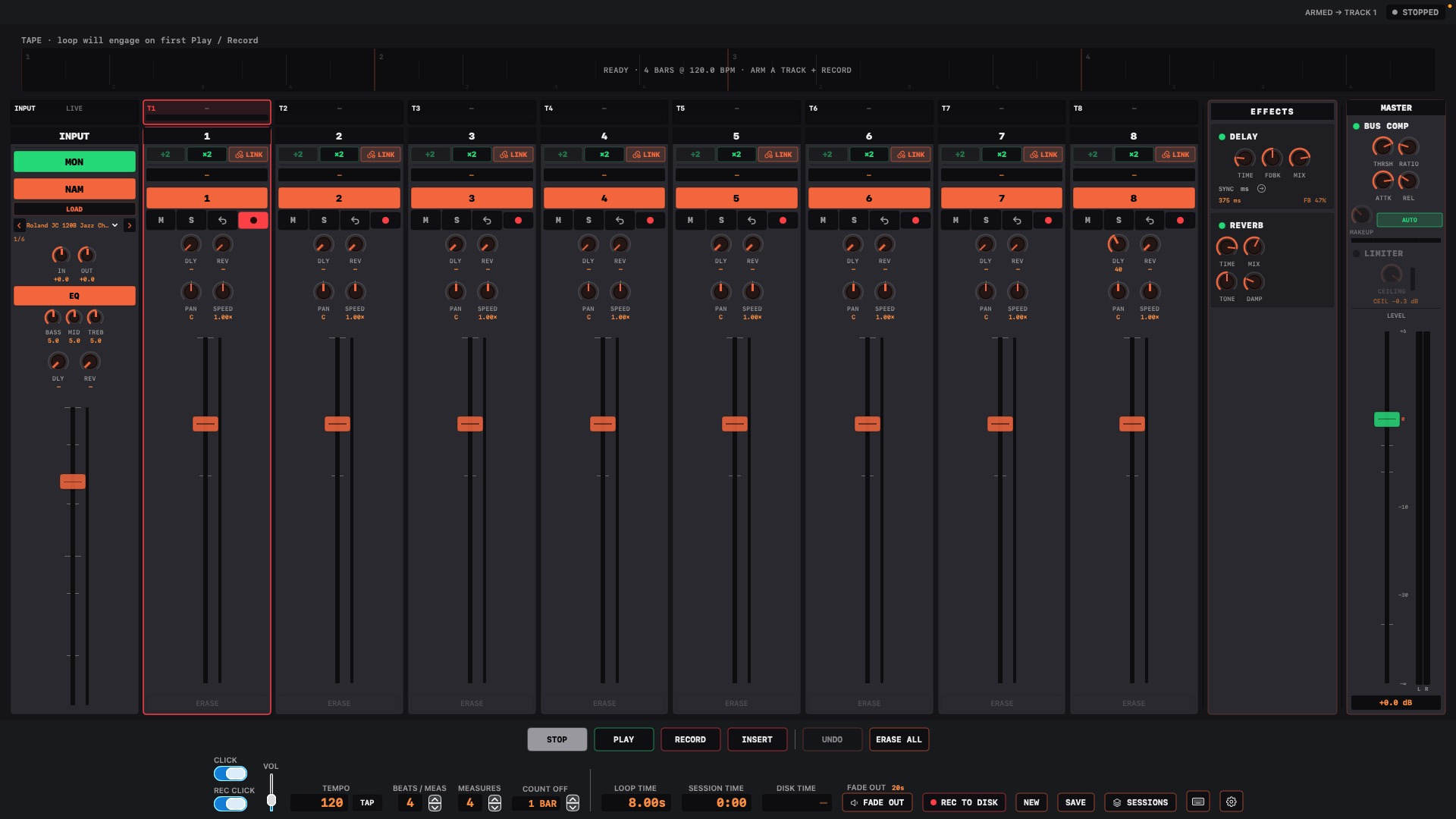
Stereo pairs for drums and keys. Guitar through NAM if you want the amp on tape. Sends into delay and reverb while you play.
Walk away with a mix
Fade out. Hit REC TO DISK. The mix is a 24-bit WAV of the whole take, mutes and faders included. Every track is already named with bars and BPM.
Open. Tap. Play.
No project to name, no template to pick, no tracks to arm. The app opens ready to record. If an idea can outrun your load screen, it's gone.
Guitar in. Amp on tape.
Neural Amp Modeler sits on the live input and prints to the armed track. Grab free amp captures from TONE3000, load a .nam, play.
The mix is the take.
Hit REC TO DISK and the whole performance lands as a 24-bit WAV: mutes, fader moves, fade-out and all. A shareable mix the moment you stop playing, plus every track as its own file.
1.3 · Neural Amp Modeler
Guitar in. Amp on tape.
Load a .nam capture on the INPUT strip. What you hear is what gets recorded: the armed track, the monitor, and the mix to disk all print the modeled amp. Flip NAM off and you're back to DI.
Play the amp. Keep the files.
IN and OUT stage the model. Bass, mid and treble sit after the amp. Folder arrows step through every capture in a directory. Models run at their native rate (usually 48 kHz) so the tone stays in tune.
Amp tones are free. Browse captures at TONE3000, drop a .nam on INPUT, and the guitar in the room is the guitar on tape.
Signal path
Updates
-
1.3.3
Bigger, clearer console
- Full-size console, big transport with keys
- Big count-in; the recording lane reads REC
-
1.3.2
LOOP / TAPE + locate
- LOOP cycles; TAPE walks the song
- Click the ribbon or SET 1–4 to punch a take
-
1.3.1
Tuner on INPUT
- TUNE reads the clean DI, before NAM
- ERASE ALL is two-press
- 1.3.0 Neural Amp on INPUT
- 1.2.3 Mixer stays live while you mix
- 1.2.1 Sessions folder
- 1.2.0 Live console
- 1.1.0 Find your sessions
Your session
A folder. That's the format.
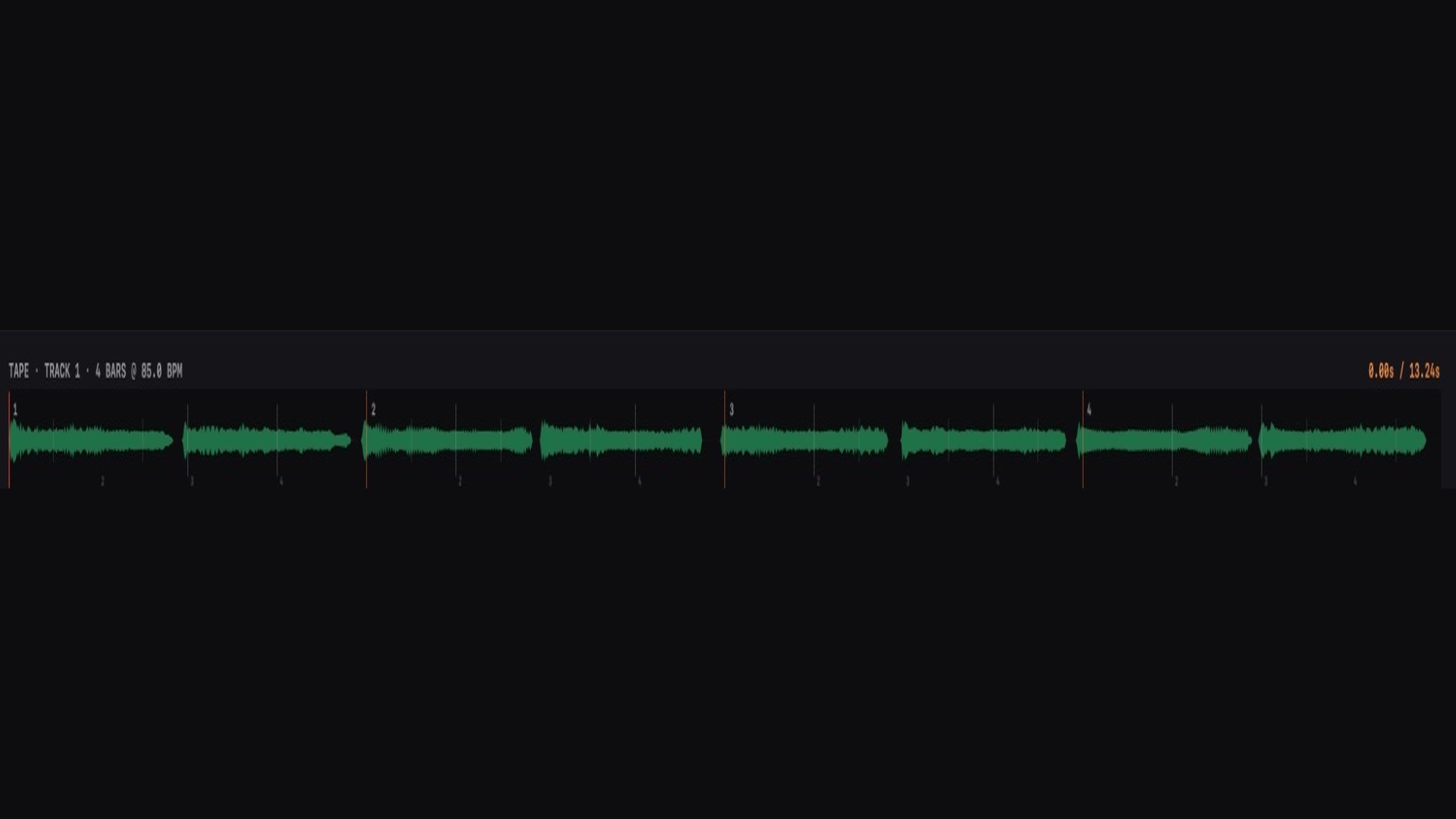
Tape Looper writes plain 24-bit audio as you work: one file per track, stereo pairs written as a single stereo file, and MIX TO DISK for the full performance in one pass. Hit REC TO DISK and the mix is already a WAV. Open the folder in ten years and everything still plays.
And it names them for you. Every file carries the session, the track, its length in bars and the tempo, so a loop dragged into a DAW three months from now still tells you what it is.
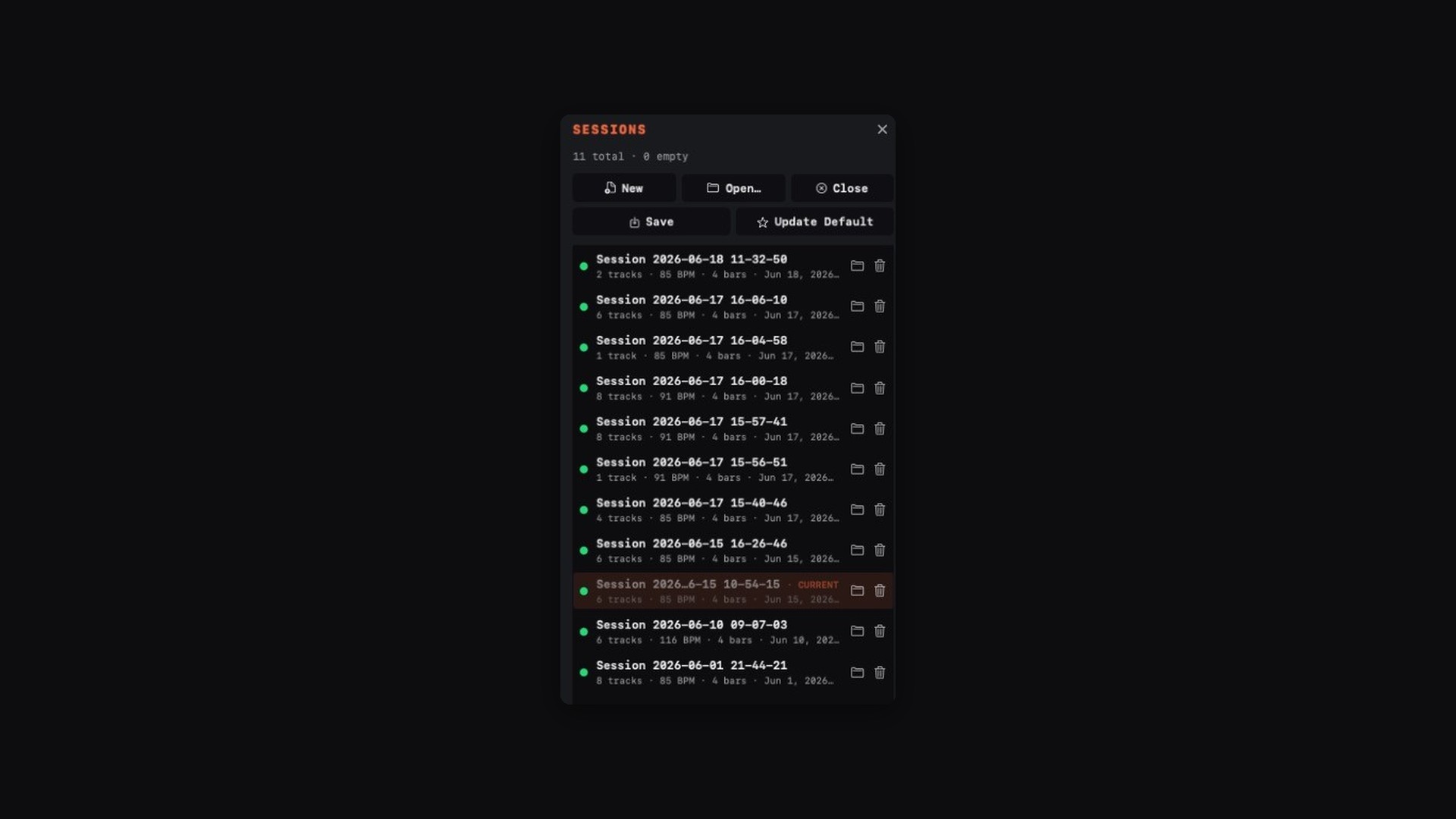
Name your sessions, search them, preview them from the drawer, and point the whole library at any folder you like, including one that syncs.
- Nord groove - Tracks 1+2 Drums - 4 bars - 85 BPM - stereo.aif
- Nord groove - Track 3 Bass - 4 bars - 85 BPM - mono.aif
- Nord groove - Track 4 Rhodes - 4 bars - 85 BPM - mono.aif
- Nord groove - Track 5 Pad - 4 bars - 85 BPM - mono.aif
- Nord groove - Track 6 Gtr - 4 bars - 85 BPM - mono.aif
- Nord groove - Track 7 Perc - 2 bars - 85 BPM - mono.aif
- Nord groove - Mix 16-11-04 - 85 BPM.wav
- session.json
The desk
Built like hardware. Lives on your Mac.
01 / 06 The console
The console
Everything within reach.
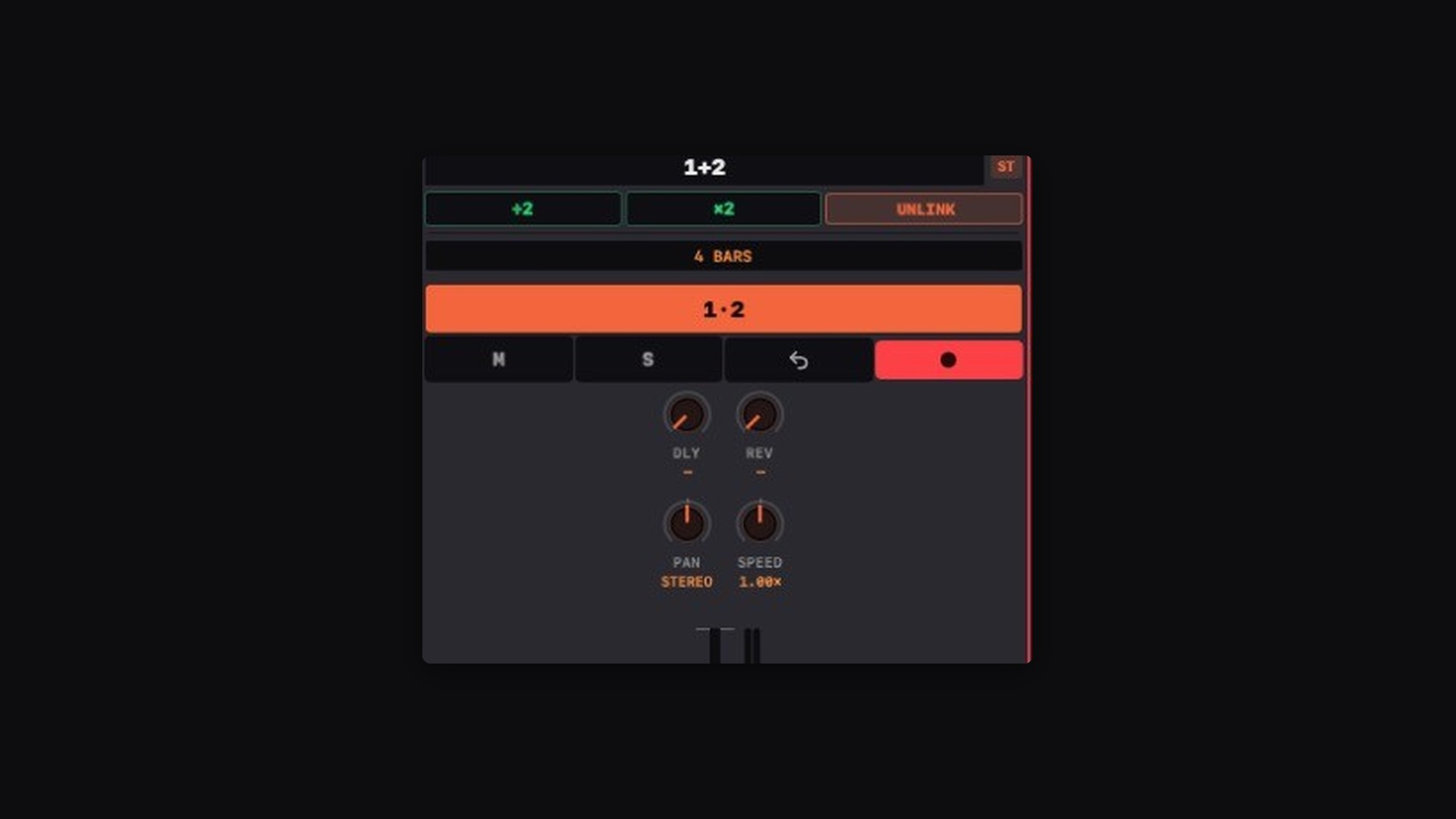
Eight tracks, real stereo
Link any two channels into a stereo pair for keyboards, drum machines and stereo synths. They record, undo and export as one.
Tap tempo & count-in
Tap it or type it, choose your bars, get a click and a count-off. Every pass lands in time. No quantize guesswork afterwards.
Neural Amp Modeler
Load a .nam capture on INPUT. Guitar is modeled before it hits the armed track, so the amp is on the file, not a plugin you have to recall later. Free tones at TONE3000.
Guitar tuner
TUNE on the input strip reads the clean DI, before the amp. Chromatic note, cents and Hz. Flip it off and it costs nothing.
Delay & reverb sends
Shared returns with per-track sends, and you can monitor through them live, so you play to the space instead of guessing at it.
Varispeed & reverse
Half speed to double speed, backwards on any track. The tape tricks, because they're still the best ones.
Insert record
Punch one clean pass on the downbeat to fix a phrase, without wiping what's underneath.
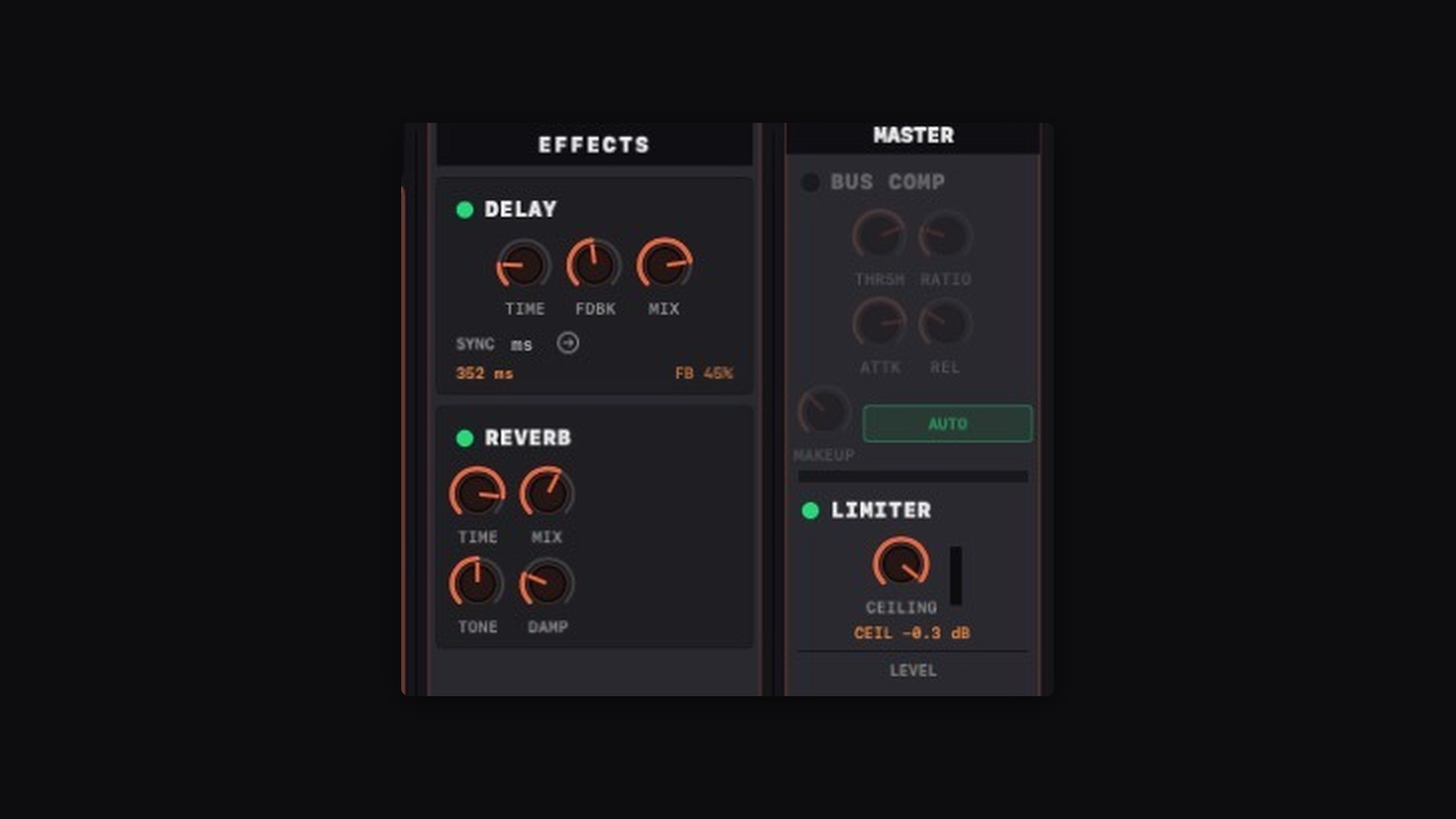
Master section
Bus compressor for glue, brick-wall limiter so a take never clips, and a one-button fade-out that ends the performance in silence.
Mix to disk
Hit REC TO DISK. The whole performance lands as a 24-bit WAV in one pass: mutes, fader moves, fade-out and all. A shareable mix the moment you stop playing.
Sessions you can find
Name a session while you're in it, then search, sort and preview the whole library from the drawer, including from a folder that syncs.
Where it sits
Not a DAW. Not a pedal.
| A DAW | A hardware looper | Tape Looper | |
|---|---|---|---|
| Time to first take | Project, tempo, track, arm, record | Power on, stomp | Open. Tap. Play. |
| What you keep | A project file | Whatever's on the box | Named 24-bit tracks plus a mix WAV |
| Guitar amp | Plugin on a track, later | Whatever's in front of it | NAM on INPUT, printed to tape. Tones from TONE3000. |
| Mixer | Deep, if you want it | Two-line screen | Eight strips, sends, master bus |
| Price | $99–$749, often a subscription | $200–$600 | $39 once. 14-day trial. |
Price
Buy it once. It's yours.
Launch price · one-time · no subscription
- 14-day free trial. The complete app, nothing held back.
- Three of your Macs on one licence; release a machine any time.
- Activate once, then offline forever. Studio machines don't need the internet.
- Free updates through 1.x, and your sessions keep opening regardless.
- Neural Amp Modeler on the live input, printed to tape. Amp captures free at TONE3000.
- Mix to disk. Hit REC TO DISK and the whole take is a 24-bit WAV, mutes and faders included.
Questions
Before you download.
macOS says the app isn't verified. Is that normal?
Yes. Tape Looper is delivered directly rather than through the Mac App Store, so the first launch takes one extra step. Double-click it, click Done on the warning, then open System Settings → Privacy & Security, scroll to Security and click Open Anyway. After that it opens with a double-click like anything else.
Is this a DAW replacement?
No, and it shouldn't be. It's the sketchpad you reach for before the DAW, the thing that's already recording while Logic is still opening. When the idea is worth finishing, drag the track files straight into your DAW and finish it there.
How does Neural Amp Modeler work here?
NAM sits on the INPUT strip. Load a .nam capture, turn NAM on, and the modeled guitar is what you hear and what gets written to the armed track. Off is DI. Models run at their native sample rate. 48 kHz is the sweet spot. Amp tones are free at TONE3000.
What is mix to disk?
REC TO DISK captures the whole performance to a 24-bit WAV in one pass: every mute, fader move, send and fade-out, exactly as you heard it. It lands in the session folder next to the per-track files, already named with the session and the tempo. No bounce, no export dialog.
What happens to my recordings when the trial ends?
Nothing. Your sessions are ordinary audio files in ordinary folders, and they stay yours whether or not you buy a licence. The app will still open and play them.
Can I use my audio interface?
Any Core Audio input works: built-in, USB interface, aggregate devices. You pick the device and buffer size in the app, and timing is locked to that hardware clock, which is what keeps overdubs sample-accurate through a long session.
Does it work with a foot switch?
Not yet. MIDI foot control (record, stop, insert, undo, next track, all MIDI-learnable) is the next feature on the roadmap. Join the list below and you'll hear when it lands.
Windows? iPad?
Mac only. It's built on Core Audio directly, which is exactly why the timing is what it is. There's no port planned.
Keep in touch
New features, new tracks, no noise.
A short email when something ships or when there's a new performance worth hearing. That's the whole deal.